


Tap to Pay on your phone: can it replace a card machine? (UK, 2026)
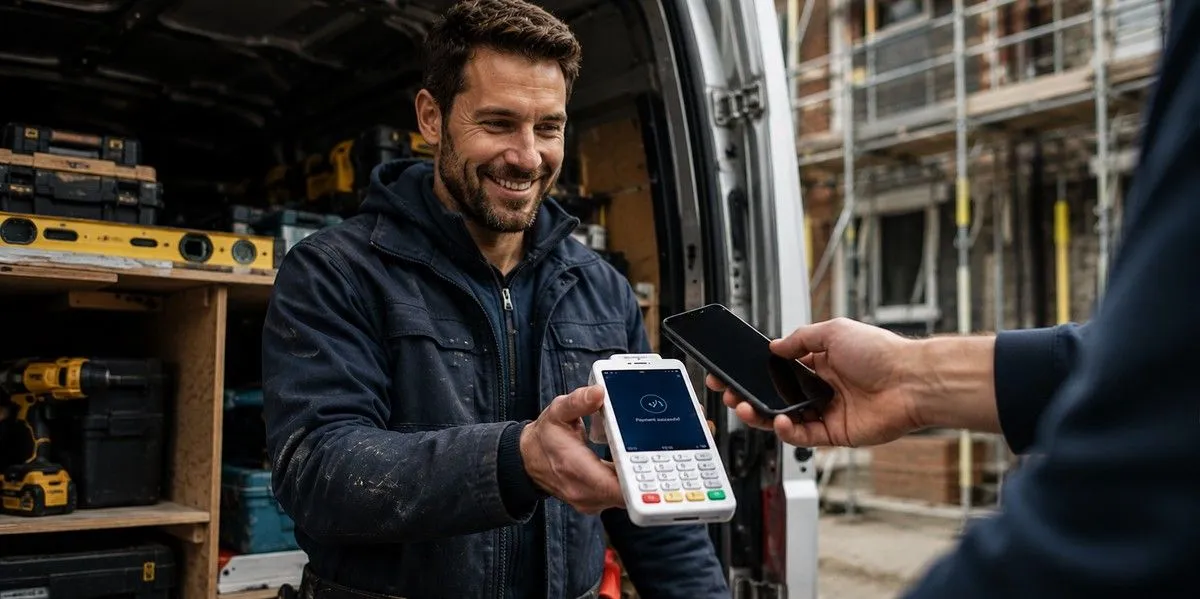
Your phone can take card payments now. No reader, no terminal, nothing to charge except the phone itself: the customer taps their card or their own phone against yours and the money goes through. For a lot of small businesses that sounds like the end of the card machine. For some it is. For most, it is a useful backup rather than a replacement, and the reasons are practical rather than technical. This guide covers how Tap to Pay works in the UK, what it costs, where it falls short, and how to decide.
The short version
- Tap to Pay on iPhone has been live in the UK since July 2023 and needs an iPhone XS or later. Tap to Pay on Android needs a phone with NFC; the minimum Android version depends on the provider.
- Published pay-as-you-go rates for taking payments this way are around 1.69% to 1.75% per transaction.
- It works best for low volumes, mobile work and as a backup. It works least well in a busy queue, for payments over £100 on a physical card with some providers, and anywhere you need a printed receipt.
- Once you take more than a few thousand pounds a month in cards, the rate matters more than the hardware. Our guide to card machine fees shows how to work out what you really pay.
How Tap to Pay works
Your payment provider's app turns the phone's NFC chip, the same one that makes Apple Pay and Google Pay work, into a contactless reader. You type in the amount, hold the phone out, and the customer taps a contactless card, phone or watch against it. The payment is authorised over your phone's internet connection and the money is settled to your business account by the provider, in the same way as a payment on a terminal.
Apple launched Tap to Pay on iPhone in the UK on 13 July 2023. It needs an iPhone XS or later on a current version of iOS, and accepts Visa, Mastercard and American Express. At launch it was live with Revolut and Tyl by NatWest, with Adyen, Dojo, myPOS, Stripe, SumUp, Viva Wallet, Worldline and Zettle listed as coming soon. Square, among others, has since added it. Check your own provider's app for availability.
On Android there is no single Google programme setting the rules, so the requirements are set by each provider. Square asks for Android 9 or later with NFC; SumUp asks for Android 11 or later.
What it costs
Taking payments on your phone is normally priced like a pay-as-you-go reader: a flat percentage on every sale, no monthly fee and no contract. Published UK rates for in-person card payments at the time of writing:
- SumUp: 1.69%, or 0.99% on eligible cards with its £19-a-month Payments Plus plan.
- Square: 1.75% per tap.
- Zettle: 1.75% for card and contactless payments.
There is no hardware cost, which is the main attraction. But the rate is the same as a pay-as-you-go reader, which means the same maths applies: on £2,000 a month it is about £35 a month, which is hard to beat; on £15,000 a month it is around £260 a month, which is a lot more than a business that size should be paying on a negotiated rate. Our guide to how much a card machine costs works through those numbers for a market stall, a café and a shop.
The £100 question
Contactless payments on a physical card have been capped at £100 in the UK since October 2021. Above that, the card needs a PIN. In March 2026 the FCA changed its rules so that card issuers with strong fraud controls can set their own limits, but the major banks said they would keep £100 for now, and UK Finance has pointed out that going higher would also need changes to terminals and industry rules. In practice, assume £100 is still the limit.
Our guide to the UK contactless limit explains what changed in March 2026 and why Apple Pay and Google Pay work differently.
What happens above £100 on a phone depends on your provider. Apple's Tap to Pay supports PIN entry on the iPhone screen, with accessibility options. SumUp's Android app now takes a PIN on the phone for payments over £100. Square's Android app does not accept physical cards above £100 at all, although payments from a customer's phone or watch work at any amount because they are verified by the customer's own Face ID or fingerprint. If you regularly take bigger payments, check this before you rely on a phone.
Where a phone falls short
- Speed in a queue. A dedicated terminal is quicker than a phone that is also your till, your calculator and your messages. At ten customers in a row, that adds up.
- No chip-and-PIN insert. Tap to Pay is contactless only. Cards without contactless, which are rare but not extinct, cannot be taken.
- No offline payments. Square, for example, does not take Tap to Pay payments without a connection. A countertop terminal on broadband, or a 4G handheld with its own SIM, is more dependable in a basement or a field.
- Battery. A full trading day of payments, card lookups and the rest of your phone's work will flatten most batteries.
- No printed receipt. Receipts go by email or text. Many customers prefer that; some do not, and some trades need a paper copy.
- Durability. A terminal is built to be dropped on a shop floor and passed across a table. Your phone is not.
- Mix-ups. Square warns that a card kept in your own phone case can be charged by mistake, and that switching apps mid-payment can cause an error.
Who it suits
- Tradespeople and mobile services taking a handful of payments a day, often at a customer's door.
- Market stalls and pop-ups with low or seasonal volumes.
- New businesses testing demand before committing to a terminal. If you do not take cards yet, our sign-up form is the quickest way to get a quote for the right setup.
- Any business as a backup, so a flat terminal battery or a broken screen does not mean turning customers away.
Who it does not
- Cafés, bars and shops with queues, where speed and a printed receipt matter.
- Restaurants taking payment at the table, where a portable terminal is faster and less awkward than handing over your own phone.
- Anyone taking more than a few thousand pounds a month in cards, for whom the pay-as-you-go rate costs more than a negotiated rate with a terminal. Our card machines page covers the countertop and portable options.
How we approach it
Pulsare Pay is not tied to one acquirer. We price each business across several, so the question we help you answer is not "phone or terminal?" but "what setup and what rate fit how you trade?". For some, that is a phone and a pay-as-you-go plan. For most businesses taking cards every day, it is a terminal bought outright on a well-priced contract, with a phone as a backup. If you already take cards, the fastest way to see what you pay today is our free card fee check: upload one statement and it shows your total fees in pounds in about a minute.
Questions people ask
Can I take card payments on my phone in the UK?
Yes. Tap to Pay on iPhone has been available in the UK since July 2023 on an iPhone XS or later, and Tap to Pay on Android works on NFC phones through providers such as SumUp and Square. You need an account with a provider that supports it.
Do I need a card reader to take payments on my phone?
No. With Tap to Pay, the phone itself is the reader. Customers tap a contactless card, phone or watch against the back of your phone.
Can I take payments over £100 with Tap to Pay?
It depends on the provider and the card. Payments from a customer's phone or watch work at higher amounts. For a physical card over £100, a PIN is needed: Tap to Pay on iPhone and SumUp on Android support PIN entry on the phone, while Square on Android does not accept physical cards above £100.
Is Tap to Pay cheaper than a card machine?
It has no hardware cost, but its rate (around 1.69% to 1.75%) is a pay-as-you-go rate. Once a business takes more than roughly £3,000 to £4,000 a month in cards, a negotiated rate on a terminal is usually cheaper overall.
Is Tap to Pay secure?
Yes. Card details are not stored on your phone, and payments are processed by your provider in the same way as on a terminal. Use a passcode on the phone and keep the app up to date.
Sources
- Apple: Tap to Pay on iPhone launches in the UK (July 2023)
- Apple: accepting payments with Tap to Pay on iPhone
- Square: Tap to Pay on Android and Tap to Pay on iPhone help
- SumUp: Tap to Pay on Android and pricing comparison
- Zettle by PayPal: pricing
- FCA: greater flexibility in setting contactless limits
- UK Finance: contactless cards information